Chimpanzee Locomotion Utility (CLU)
A MatLab program that utilizes user input to calculate the speed of a chimpanzee stride expressed in terms of tibia lengths per second.
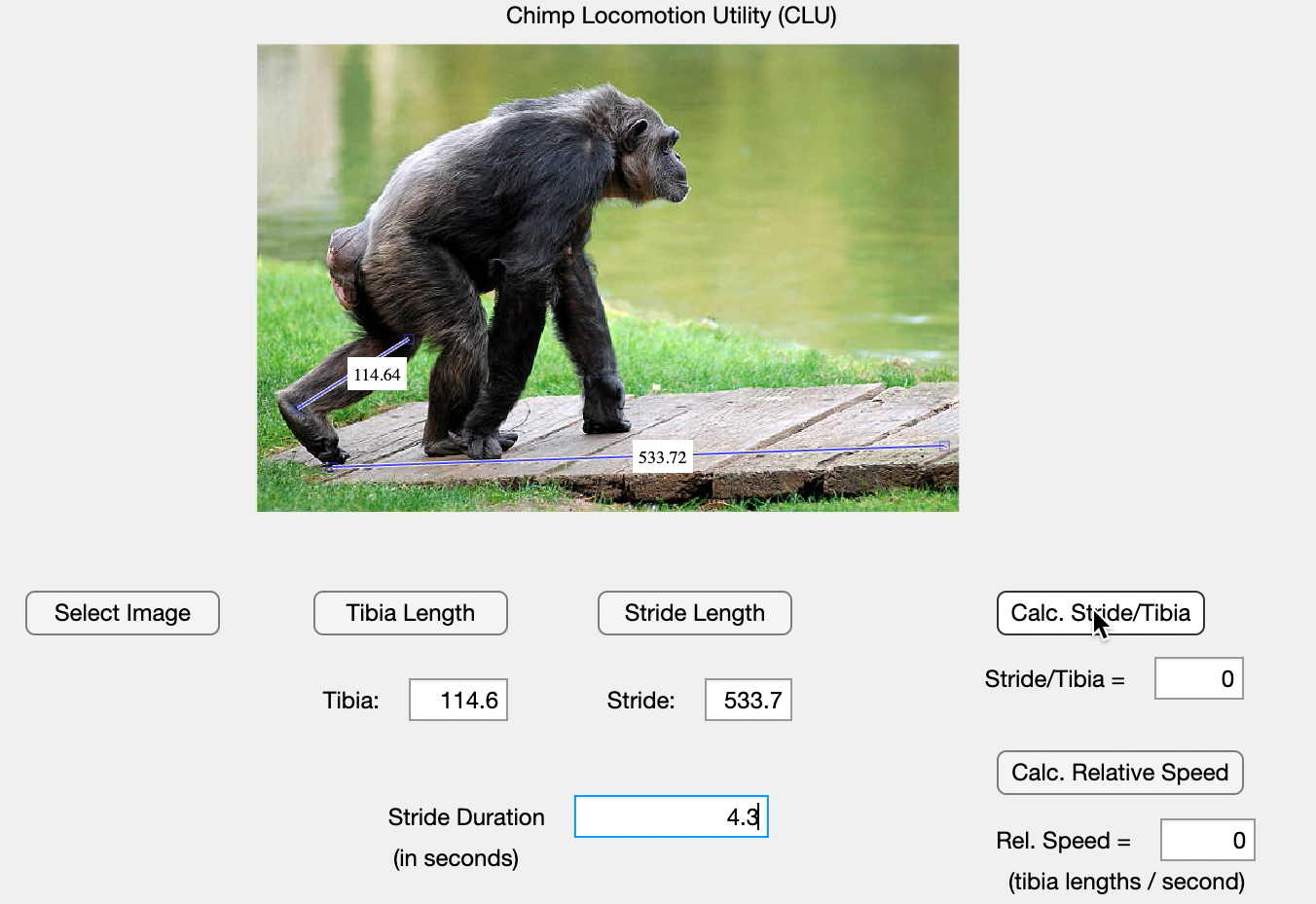 At left: CLU in use. Demo chimpanzee image courtesy of iStock. I created this simple MatLab app in conjunction with a data-sharing collaboration between James Madison University and a local high school. This app was specifically designed to facilitate a high school student's analysis of chimpanzee video data for their school's science fair.
How to use CLU
- Open the .mlapp file in MatLab
- Click "Select Image" and choose a screenshot of a video frame in which the chimp's stride start and end points and one tibia are fully visible
- Click "Tibia Length" and move the new line on the image until its endpoints are aligned with the proximal and distal ends of the tibia
- Type the resulting measurement (in pixels) into the box labeled "Tibia"
- Click "Stride Length" and move the new line on the image until its endpoints are aligned with the start and end point of the chimp's stride
- Type the resulting measurement (in pixels) into the box labeled "Stride"
- Type the duration of the stride (in seconds) into the box labeled "Stride Duration"
- Click the "Calc. Stride/Tibia" button to calculate the distance the chimp travelled expressed as number of tibia lengths
- Click the "Calc. Relative Speed" button to calculate the chimp's speed expressed in terms of tibia lengths travelled per second
Download CLU
Click here to download the .mlapp file. GitHub files coming soon!
Transcoding & Remuxing Operations Nucleus (TRON)
A MatLab program that streamlines video conversion and quality comparison of converted video files in a GUI.
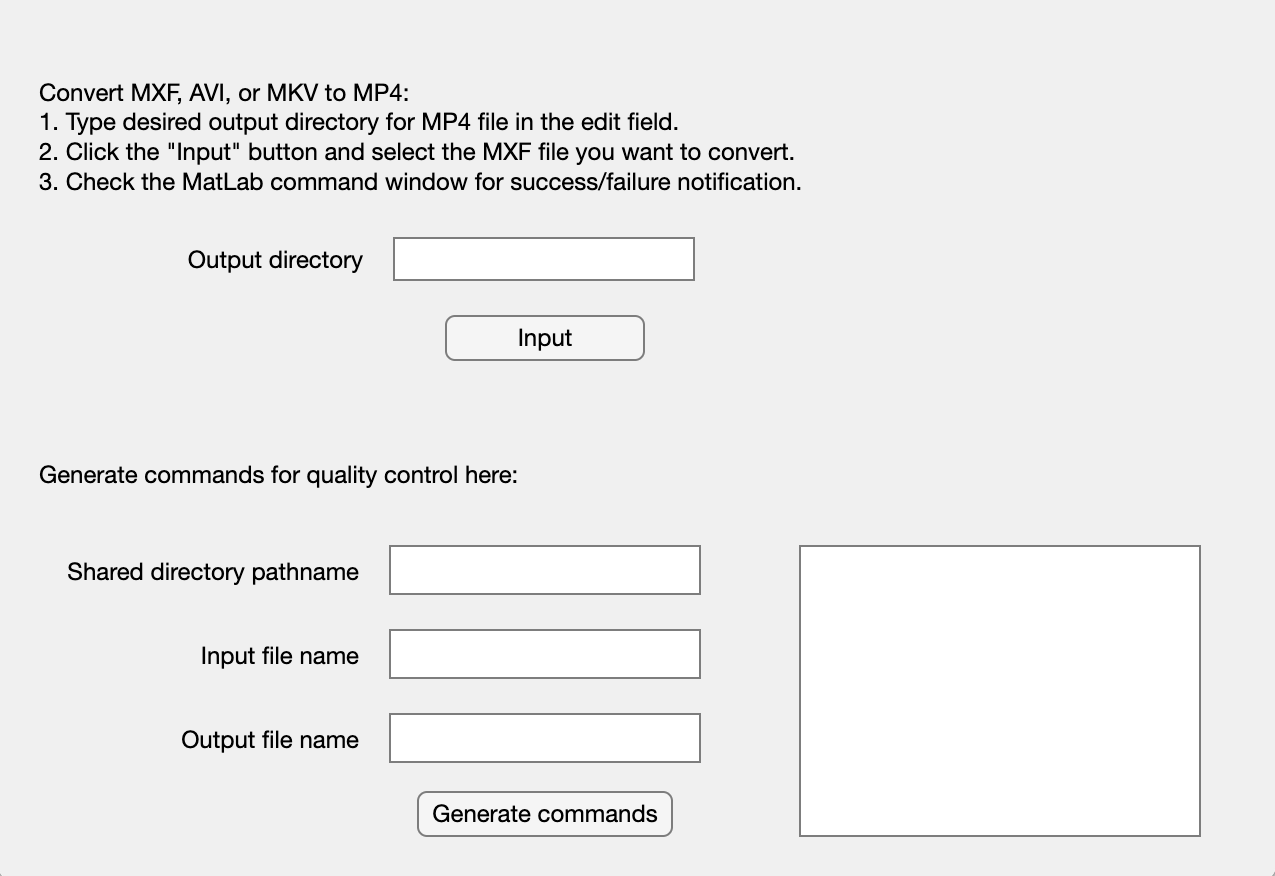 At left: TRON in use. TRON uses the FFmpeg toolbox in MatLab to: 1) convert .mxf, .avi, and .mkv files to .mp4 files, and 2) generate commands that can be copied and pasted into the terminal window to compare the quality of a converted video file against the original video file. I created TRON to help an undergraduate student in a James Madison University lab easily convert MXF files to MP4 format for a video analysis project.
How to use TRON (video conversion)
- Open the .mlapp file in MatLab
- Specify your desired output directory for the converted file in the "Output directory" field
- Use the "Input" button to select an input video file
- Once an input file is specified, TRON converts the file and leaves "output.mp4" in the specified output directory
How to use TRON (video quality comparison)
- Open the .mlapp file in MatLab
- Specify the directory in which both the input file and the converted file are hosted in the "Shared directory pathname" field
- Specify the name of the input file in the "Input file name" field
- Specify the name of the converted file in the "Output file name" field
- Click "Generate commands" to generate two commands in the text area to the right
- Open the terminal window
- Copy and paste the first command generated by TRON into the terminal window and press return to enter the directory the files are in
- Copy and paste the second command generated by TRON into the terminal window and press return to initialize a quality comparison function in which FFmpeg overlays the original and converted video files with a green filter and differences are visible as light green pixels
Download TRON
Click here to download the .mlapp file. A list of acknowledgements, the TRON usage manual, and the TRON .mlapp file are available on GitHub.